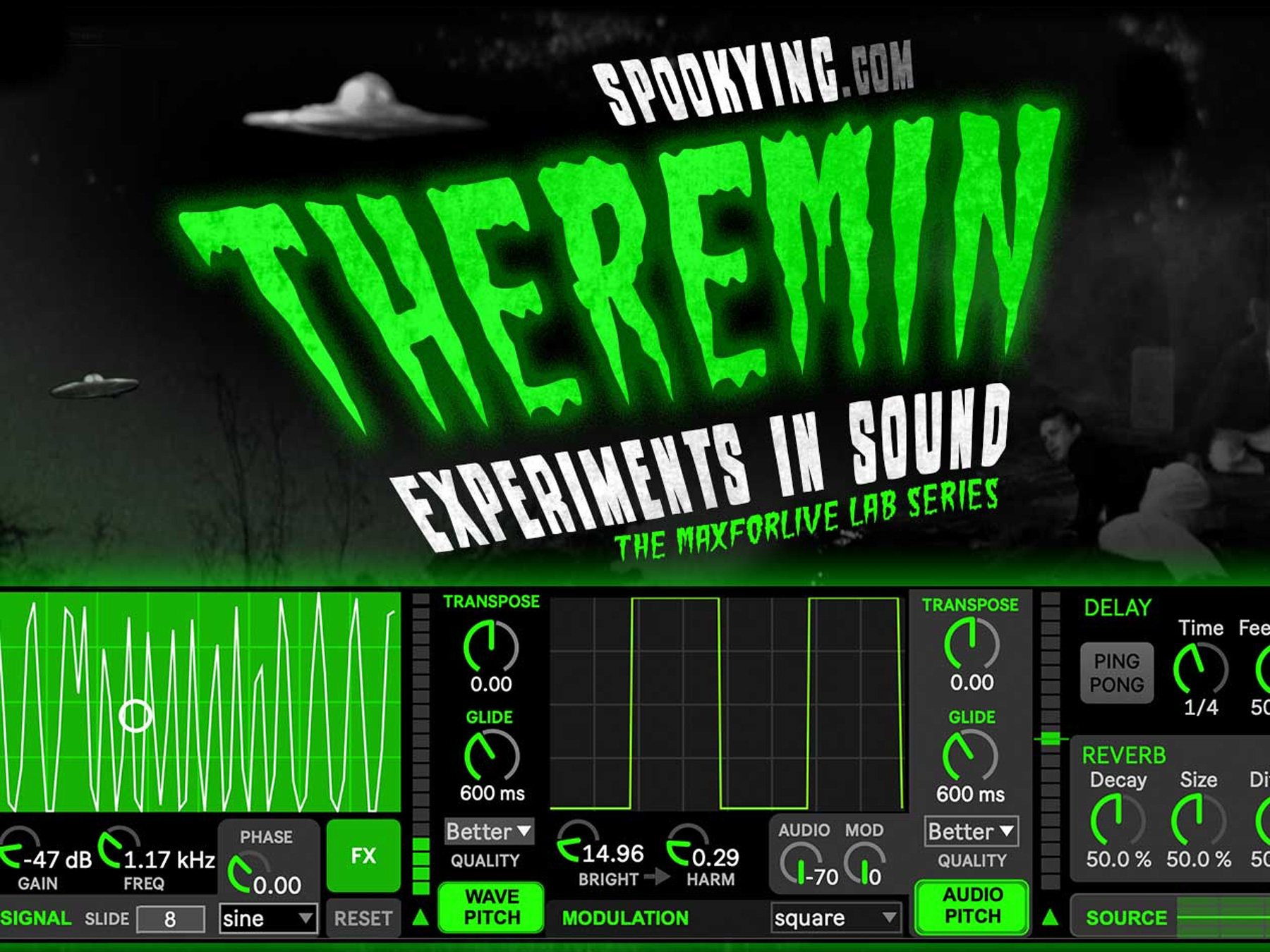
THEREMIN IT’S ALIVE!
After months of development, we finally have our first in our experimental LAB series – a classic spooky/sci-fi classic THEREMIN virtual midi instrument and Audio FX device for sound design, foley effects, music, or just playing with.
But it’s become so much more than just a Theremin!
This wild device has grown into a monster – it can live in either an audio track or a midi track – making it playable by dragging a cursor around, or midi notes (as long as no midi instrument is loaded. From Spooky to Horror to classic 50’s Sci-Fi , the Theremin is an endlessly entertaining instrument to create sounds.
MIDI DEVICE (no other instrument loaded)
• Turn knobs or drag the circle in XY Pad to change Gain and Frequency of Wave Signal
• A Mod Wheel controls Gain of Wave
• Midi notes from Clip or Keyboard change Frequency
• Slide parameter adjusts time (ms) frequency when note is played (or XY pad is touched)
MIDI/AUDIO DEVICE
• SIGNAL parameters adjust Gain, Frequency of wave, Type of Wave and a Phasor
• MODULATION effects Wave Signal with Bright, Harmonics, and Mod Wave Type
• Hold Shift in Ableton to make small adjustments – the Harm knob can create amazingly different sounds with the smallest adjustments
• External Audio from loaded Midi device or Audio clip on an Audio Track can also be adjusted with Audio (volume) and Modulatin parameters
• Turn on WAVE or AUDIO Pitch buttons to transpose signal (and adjusts slide time between parameters)
• Delay and Reverb effects Signal wave and Audio source
• Recall the Raw Audio with the SOURCE slider
• An Limited is included to avoid too much clipping as this is still basically an experimental instrument
• Presets are recalled with a Mouse Click, or store new presets with a Shift Click
• Randomize Parameters for an inspirational way to find new sounds
• All parameters can be Randomized – individually, by section, or all ot once with the Randomize double-arrows button
NOTES
• All parameters can be mapped to a MIDI controller – perfect for live experimental performances
• Automation does not always work (for now) so we advise adjusting parameters by mouse or mapping to a midi controller
• Route (and record) Audio output to a new Audio track for best + most reliable results
• Turn up the Bright and Harm knobs and click the Harm Random button for loads of fun!
Have fun!
We’d love to see what you create – just share it with SpookyInc.com
If you are an Ableton Live user, go ahead and try it for yourself!